Amadey — CyberDefenders Walkthrough
A memory forensics investigation into the Amadey Trojan Stealer — tracing persistence mechanisms, C2C communications, and lateral movement through a compromised Windows workstation.
Tactics: Execution, Persistence, Privilege Escalation, Defense Evasion, Command and Control, Exfiltration
Tools: Volatility 3
Scenario
An after-hours alert from the Endpoint Detection and Response (EDR) system flags suspicious activity on a Windows workstation. The flagged malware aligns with the Amadey Trojan Stealer. Your job is to analyze the presented memory dump and create a detailed report for actions taken by the malware.
Q1 — What is the name of the parent process that triggered this malicious behavior?
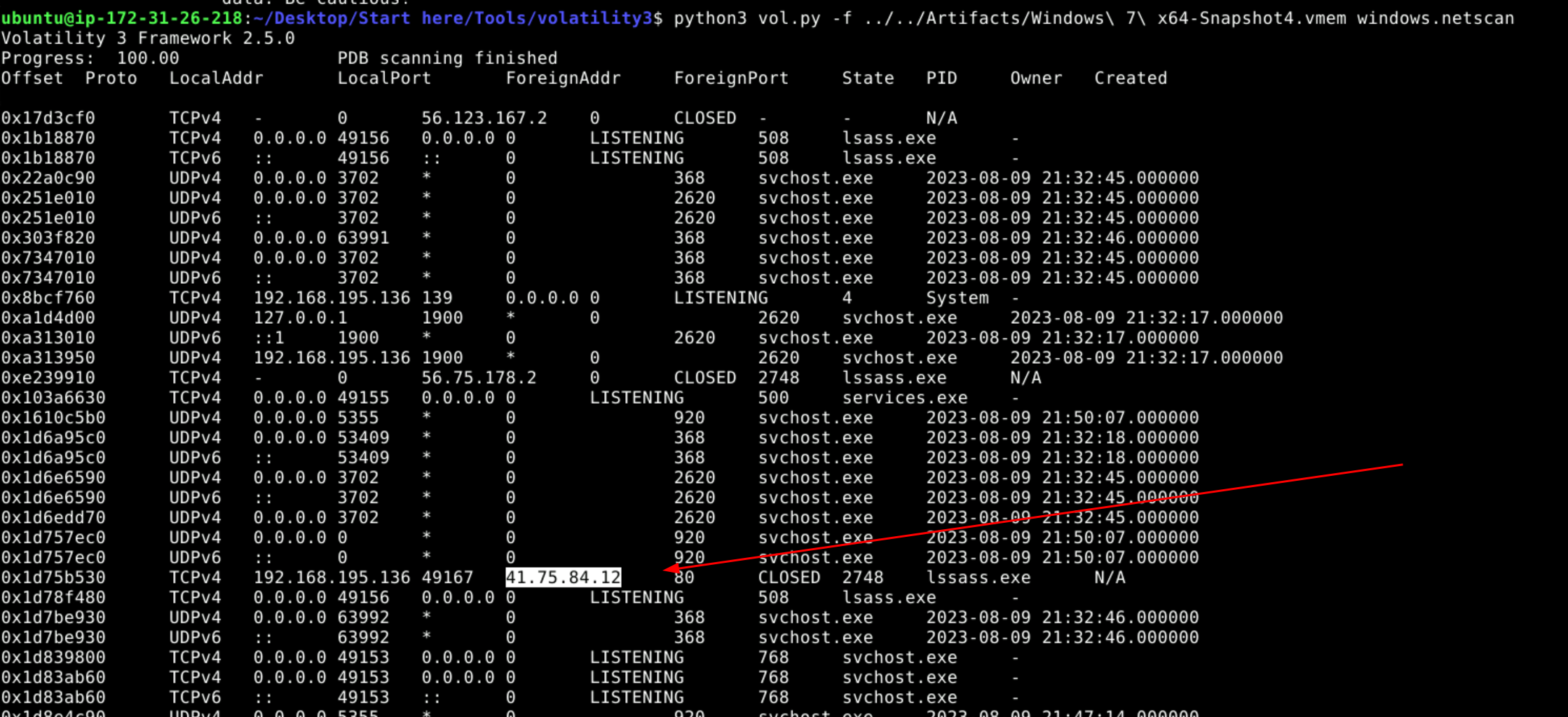
Initially I used windows.netscan to list all processes making a network connection. During this I noticed lsass having two different process IDs.
python3 ./vol.py -f ../../Artifacts/Windows\ 7\ x64-Snapshot4.vmem windows.netscan
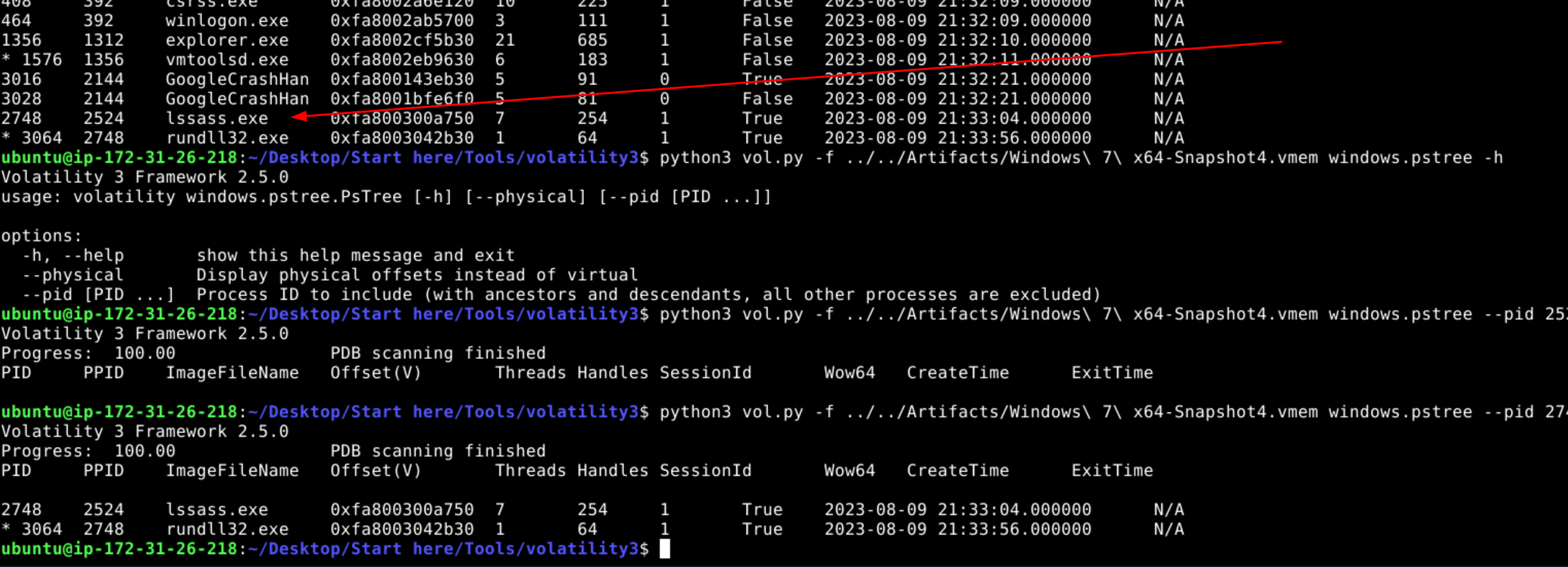
This led me to use windows.pslist to see the parent-child process relationships. I realized the lssass.exe was illegitimate because its parent process ID wasn’t wininit.exe.
python3 ./vol.py -f ../../Artifacts/Windows\ 7\ x64-Snapshot4.vmem windows.pslist
Answer: lssass.exe
Q2 — Where is this process housed on the workstation?
I used windows.cmdline on the malicious lssass.exe process to find its location on the workstation.
python3 ./vol.py -f ../../Artifacts/Windows\ 7\ x64-Snapshot4.vmem windows.cmdline --pid 2748
Answer: C:\Users\0XSH3R~1\AppData\Local\Temp\925e7e99c5\lssass.exe

Q3 — What is the Command and Control (C2C) server IP that the process interacts with?
This goes back to the initial windows.netscan output which contained a foreign IP, indicating interaction with a suspicious address.
python3 ./vol.py -f ../../Artifacts/Windows\ 7\ x64-Snapshot4.vmem windows.netscan
Answer: 41.75.84.12
Q4 — How many distinct files is the malware trying to bring onto the compromised workstation?
I ran windows.memmap to dump the file, then used strings with grep to pattern match for GET requests made by the process.
python3 ./vol.py -f ../../Artifacts/Windows\ 7\ x64-Snapshot4.vmem windows.memmap --pid 2748 --dump
Answer: 2

Q5 — What is the full path of the file downloaded and used by the malware?
I interrogated the two suspicious processes — lssass.exe and rundll32.exe — which led me to discover the malicious DLLs corresponded with the rundll32 process.
python3 ./vol.py -f ../../Artifacts/Windows\ 7\ x64-Snapshot4.vmem windows.cmdline --pid 3064
Answer: C:\Users\0xSh3rl0ck\AppData\Roaming\116711e5a2ab05\clip64.dll

Q6 — Which child process is initiated by the malware to execute these files?
This answer comes from the windows.pstree output shown in Q1 and the cmdline interrogation done in Q5.
Answer: rundll32.exe
Q7 — Apart from the locations already identified, where else is the malware ensuring persistence?
I used windows.filescan with grep to filter for the malicious process name.
python3 ./vol.py -f ../../Artifacts/Windows\ 7\ x64-Snapshot4.vmem windows.filescan | grep -E "lssass.exe"
Answer: C:\Windows\System32\Tasks\lssass.exe
