Redline — CyberDefenders Walkthrough
A memory forensics investigation using Volatility and Strings to trace an attacker who bypassed NIDS, identify the malware family, and uncover every footprint left behind.
Category: Endpoint Forensics
Tactics: Privilege Escalation, Defense Evasion, Command and Control
Tools: Volatility, Strings
Scenario
As a member of the Security Blue team, your assignment is to analyze a memory dump using Redline and Volatility tools. Your goal is to trace the steps taken by the attacker on the compromised machine and determine how they managed to bypass the Network Intrusion Detection System (NIDS). Your investigation will identify the specific malware family employed in the attack and its characteristics. Additionally, your task is to identify and mitigate any traces or footprints left by the attacker.
Q1 — What is the name of the suspicious process?
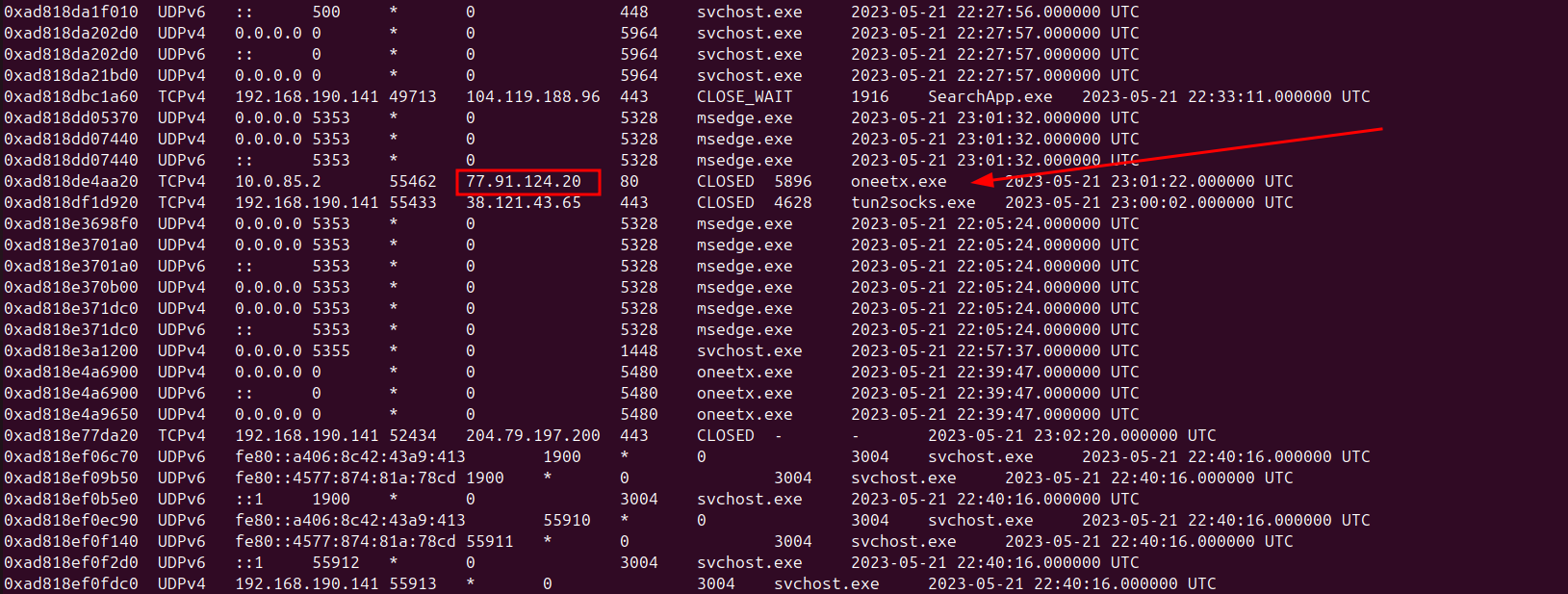
Initially I checked the wire to gain a better understanding of the network connections to better filter out the processes and the distinct IP stood out.
python3 vol.py -f MemoryDump.mem windows.netscan
Answer: oneetx.exe
Q2 — What is the child process name of the suspicious process?
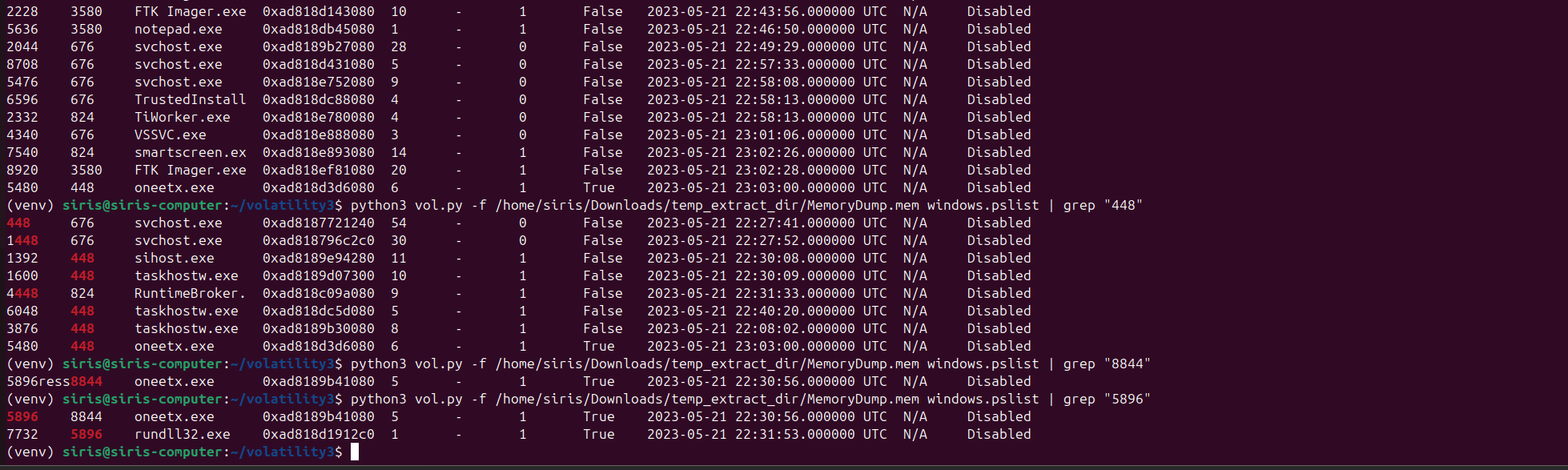
This led me into using windows.pslist along with grep to filter down and find the suspicious process and its child process.
python3 vol.py -f MemoryDump.mem windows.pslist | grep "5896"
Answer: rundll32.exe
Q3 — What is the memory protection applied to the suspicious process memory region?
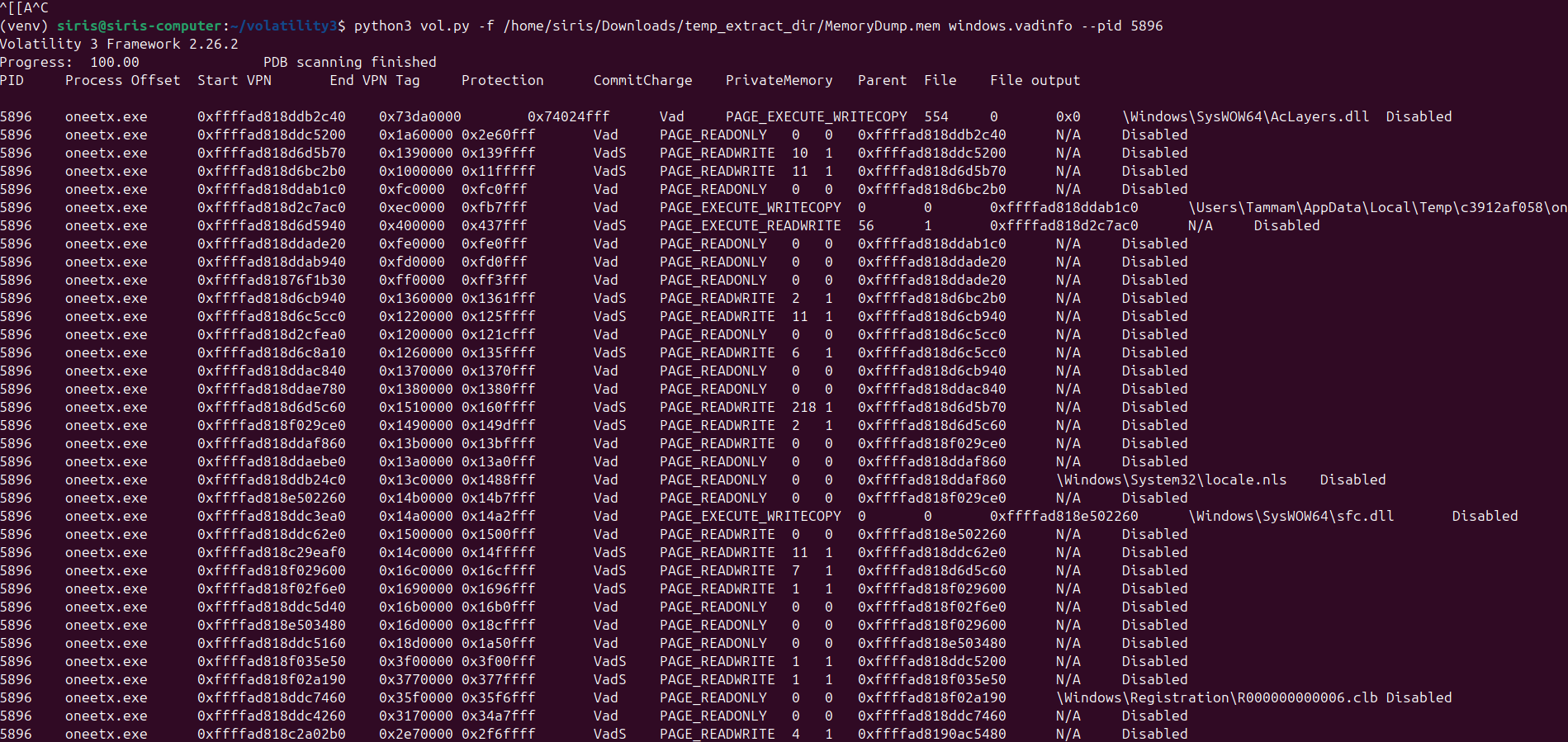
I used windows.vadinfo on the PID of our suspicious process oneetx.exe.
python3 vol.py -f MemoryDump.mem windows.vadinfo --pid 5896
Answer: PAGE_EXECUTE_READWRITE
Q4 — What is the name of the process responsible for the VPN connection?
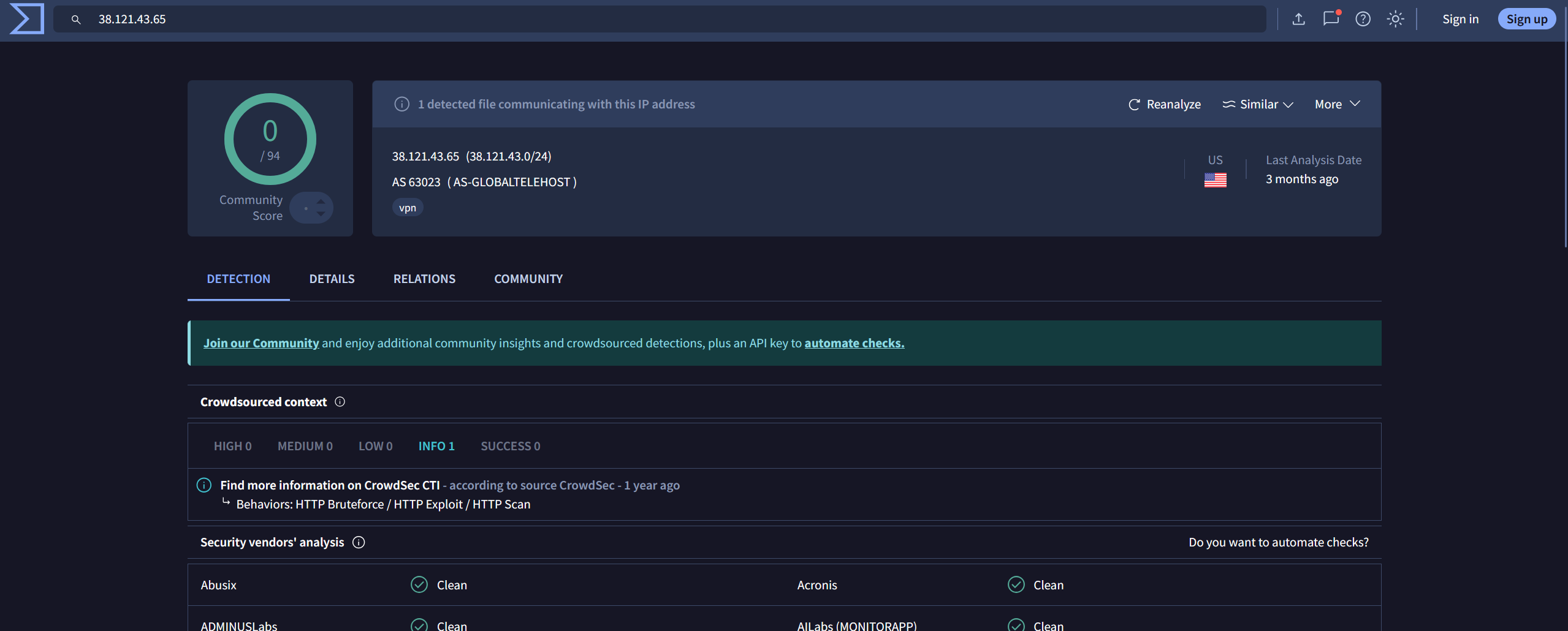
This one was tricky. The IP associated with tun2socks.exe wasn’t flagged as malicious on VirusTotal. I had no idea it was responsible for VPN connections at first. Some research indicated it was the process that needed deeper investigation, which prompted me to run windows.pstree to find the answer.
python3 vol.py -f MemoryDump.mem windows.pstree --pid 4628
Answer: outline.exe

Q5 — What is the attacker’s IP address?
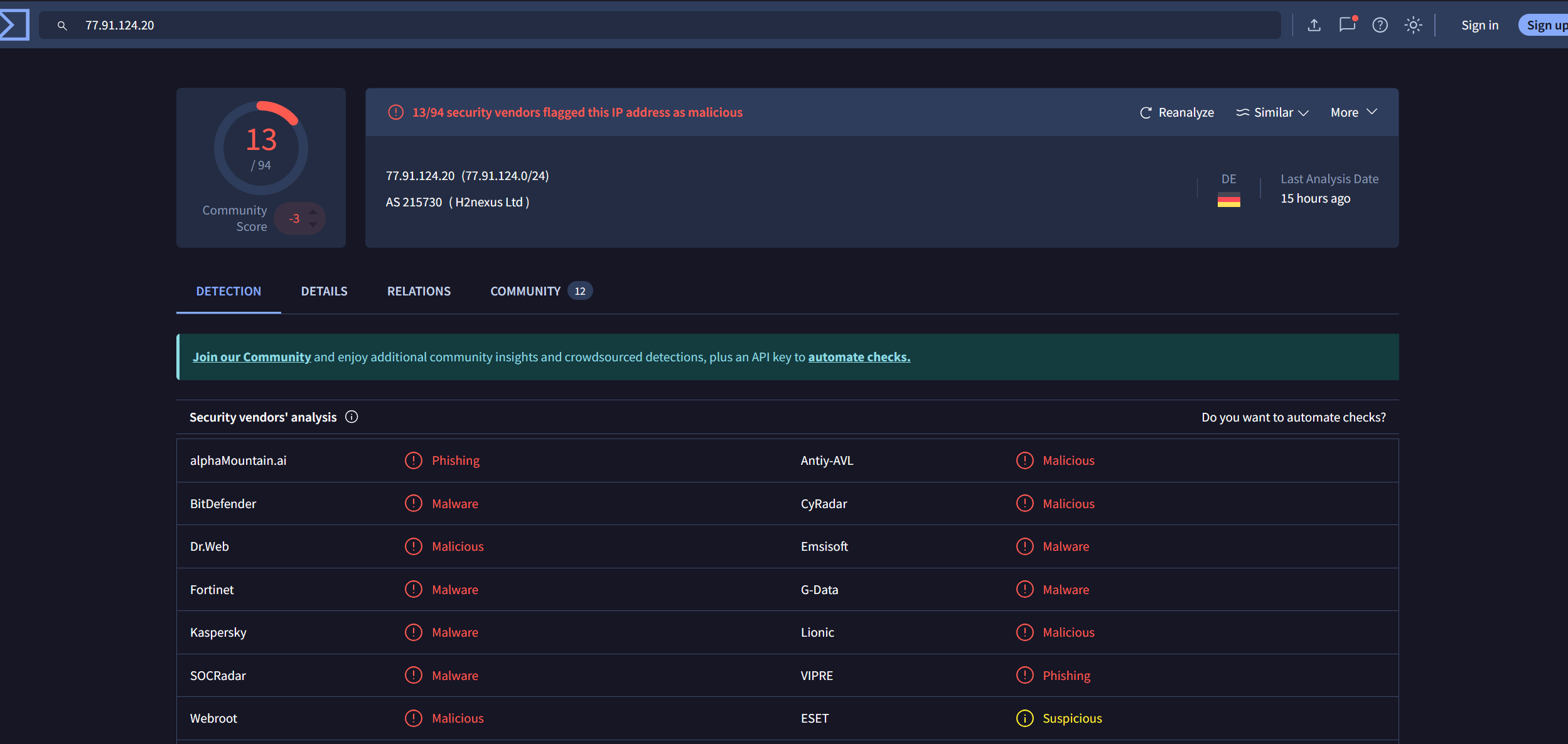
This one was straightforward. I looked up the distinct IP from Q1 in VirusTotal and confirmed it was flagged as malicious across multiple vendors.
Answer: 77.91.124.20
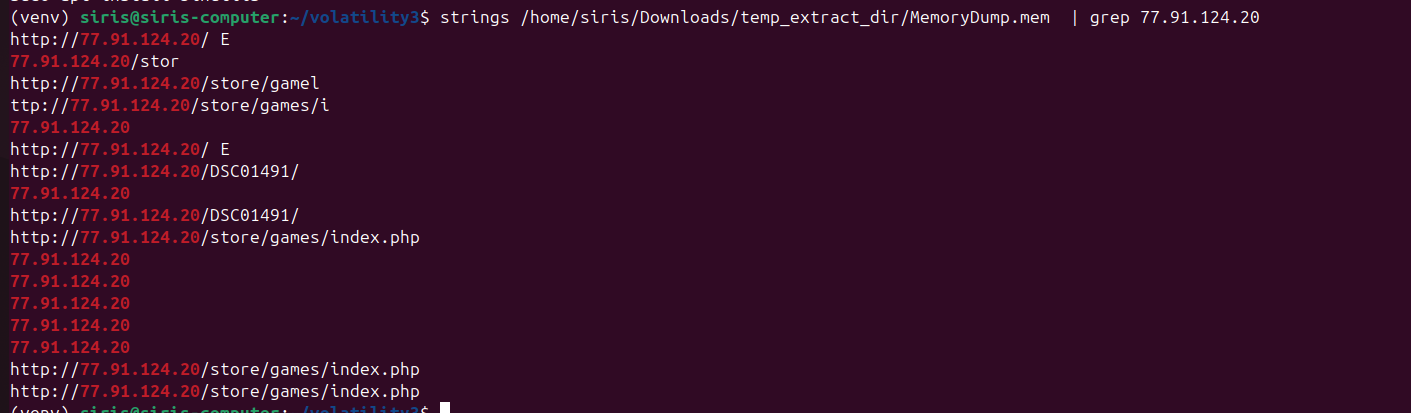
Q6 — What is the full URL of the PHP file that the attacker visited?
I used strings to extract URLs from the memory dump, then piped through grep with the malicious IP to narrow it down.
strings MemoryDump.mem | grep 77.91.124.20
Answer: http://77.91.124.20/store/games/index.php
Q7 — What is the full path of the malicious executable?
To find the full path I used windows.filescan and filtered the output with grep.
python3 vol.py -f MemoryDump.mem windows.filescan | grep "oneetx.exe"
Answer: C:\Users\Tammam\AppData\Local\Temp\c3912af058\oneetx.exe
